

Table of Contents
How to use the Work Order System for Retevis MateTalk C3/C63 professional business walkie-talkies
- Posted by:JJ
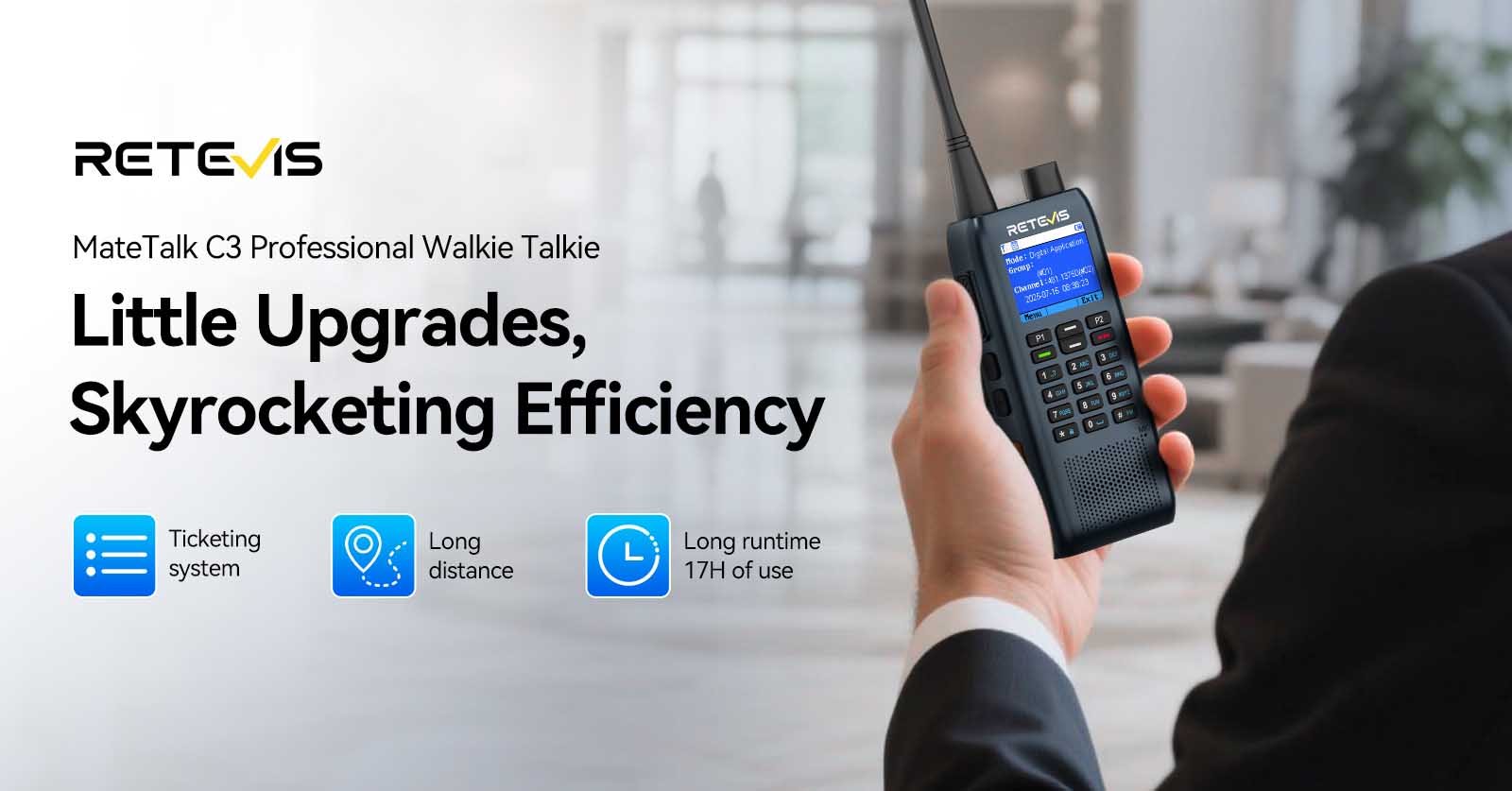
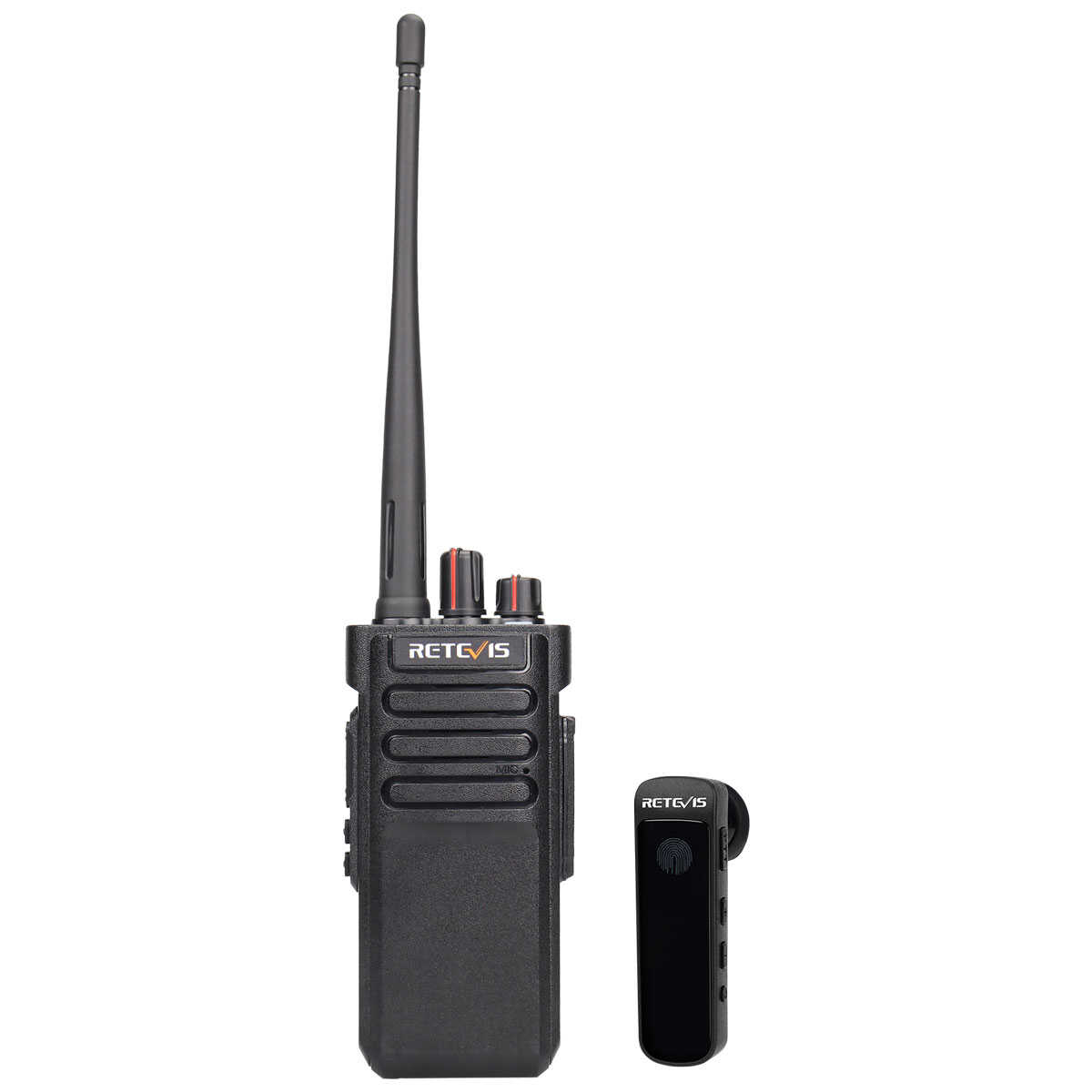
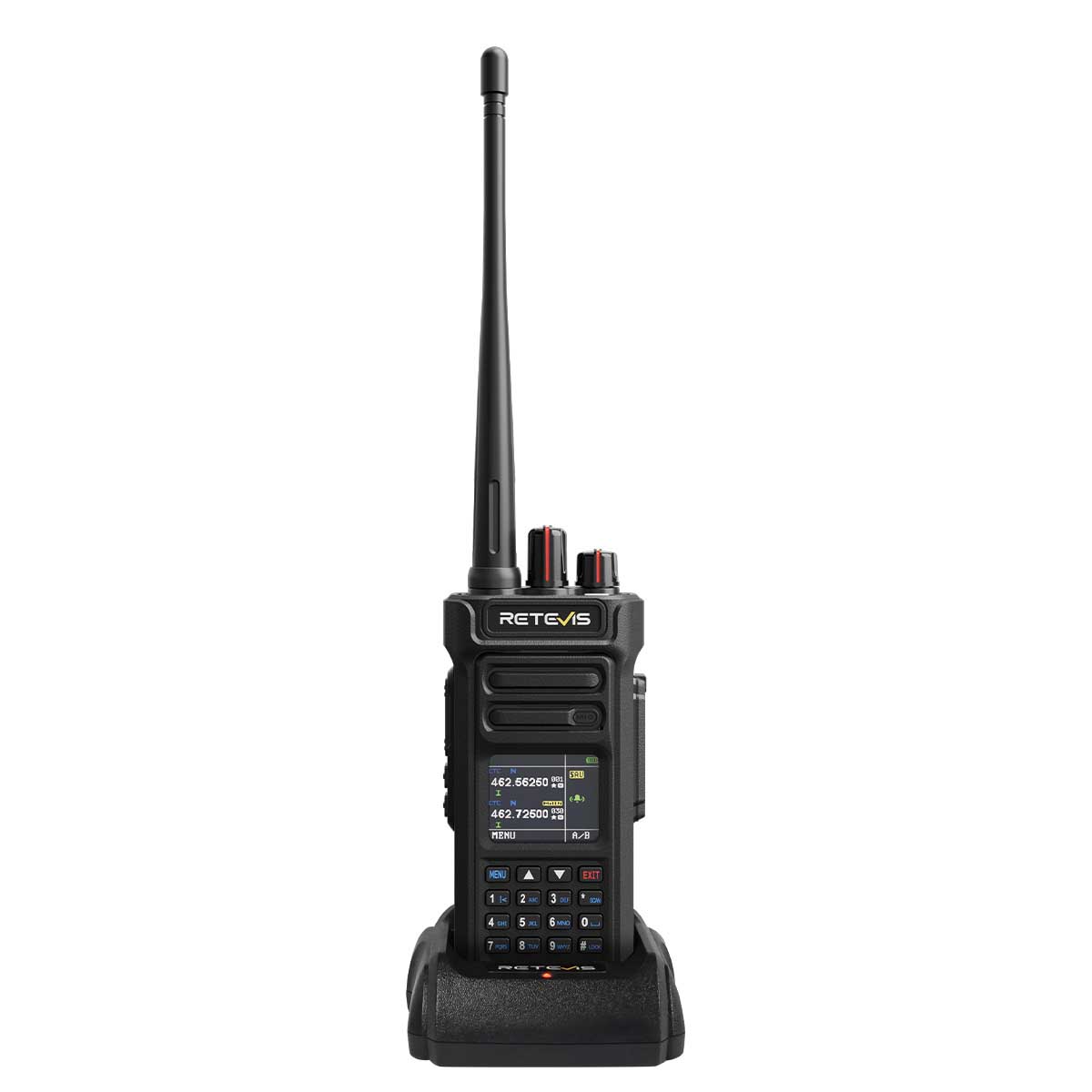
Retevis MateTalk C3/C63 are professional business two-way radios designed for seamless team communication. By integrating a work order system, these radios ensure efficient task delegation, reduce downtime, and promote seamless collaboration within teams. They effectively improve overall operations, ensure rapid problem resolution, and enhance guest and customer satisfaction, making them particularly suitable for busy environments such as hotels, shopping malls, and office buildings. This article will guide you on how to use the work order system of the Retevis MateTalk C3/C63 professional two-way radios.
Introduction to the Work Order System
A Work Order Management System (Digital Application) is a tool used for task dispatch, tracking, and management, helping enterprises enhance work efficiency, service quality, and resource coordination. The Retevis MateTalk C3/C63 professional two-way radios enable real-time tracking of task progress, ensuring timely completion and providing traceable records. They are widely applicable in scenarios such as supermarkets, hotels, and office buildings.
Operating the Work Order System
Digital Application Identity Activation
1.Download the Work Order Software.
Note: Work Order Software Download
2.Use a Type-C data cable to connect the radio to your computer. Open the work order software.
Note: Password: 12345678
3. Click "Conn Device", select the COM5 port, and connect to the radio.
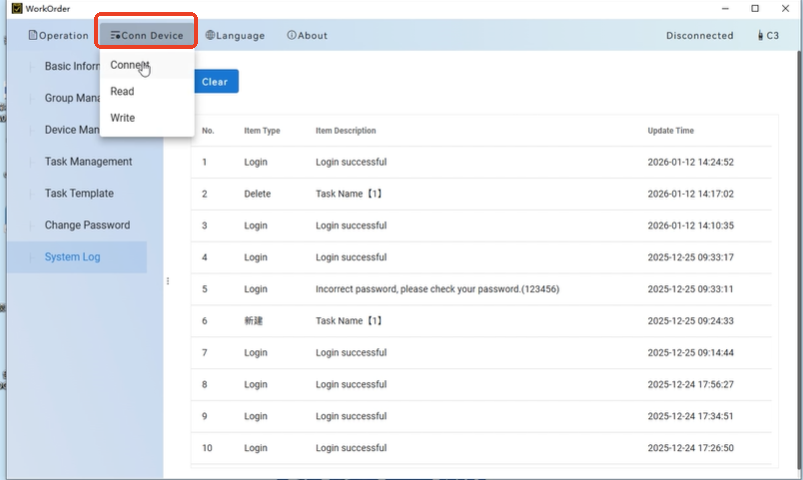
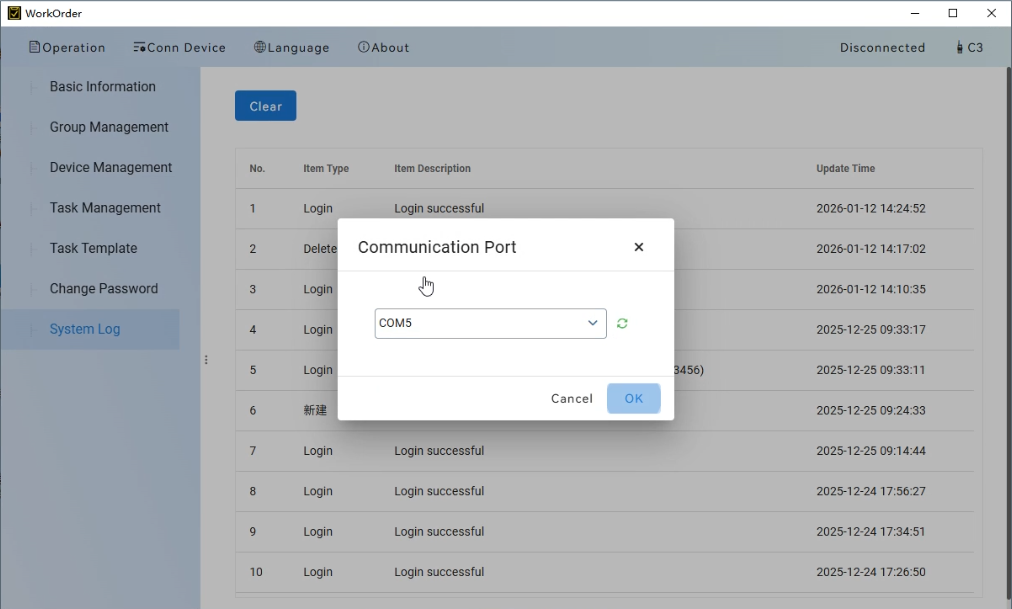
4.In the "Group Management" section, click "Add". Enter the required Group ID and Group Alias.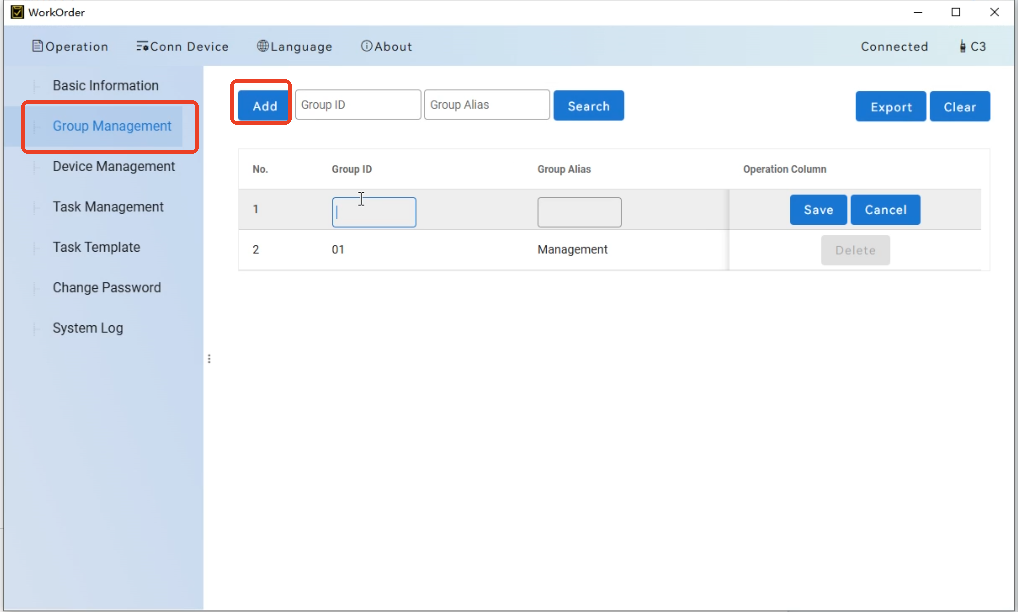
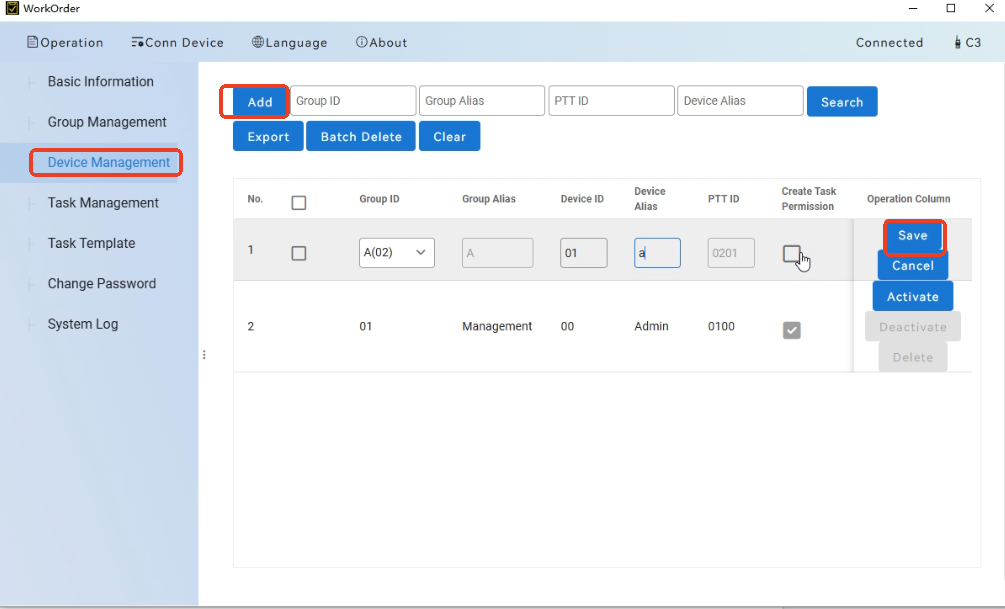
5. In the "Device Management" section, click "Add". Select the Group ID, fill in the PTT ID and Group Alias. If this device needs to be set as the supervisor for the group, check the "Create Task Permission" box. After configuration, click "Save and Activate".
Note: PTT ID is an iden tity identifier. Each radio has a unique PTT ID, which must be different for each radio within one network. The PTT ID consists of four digits: the first two digits represent the Group ID, and the last two digits represent the Device ID. Group numbers are defined as follows: 00 is for all-call, 01 is for administrators, and 02 to (maximum channel number - 1) are for other groups. Device ID ranges from 00 to 99.
Sending a Work Order
Navigate to the "Work Order" menu and select "New Task". You can edit the work order content, including the Contact ID, work order text, and deadline. After editing, press the confirm button to send the work order. Wait for the sending process to complete. If the send is successful, a "Send Successfully" prompt will appear. The transmitting radio can view the work order by selecting the "Received" menu under the "Send Function" menu within the "Work Order" menu. If the send fails, a "Send Failed" prompt will appear. The transmitting radio can view the work order by selecting the "New" menu under the "Send Function" menu within the "Work Order" menu.
Receiving a Work Order
When the radio receives a work order, the standby interface will prompt that a new work order has been received or updated. Press the confirm button to view the work order content. The receiving radio can find the corresponding work order in the "Receive Function" menu under the "Work Order" menu, categorized by its current status (e.g., New, Accepted). Press the confirm button to view the work order content. On the work order content interface, press the menu button to enter the operation interface. Here, you can change the current work order status—such as Accept, Reject, or Complete—or choose to Remove the current work order.
Transmitter Work Order Reply
If the transmitter receives a work order with an Accepted status, it can choose to Cancel or Remove the work order. If the transmitter receives a work order with a Completed or Rejected status, it can choose to Restart (resend) or Remove the work order.
Deleting Work Orders
Both the "Send Function" and "Receive Function" menus have a "Clear All" option, which can delete all work order data.
Application of Retevis MateTalk C3/C63 Work Order System
In Large Chain Retail Stores: From "Passive Response" to "Proactive Service
Large retail stores with multiple floors and vast areas often rely on traditional radios that only allow "shouting," making task execution untrackable. The MateTalk's work order system brings transformative changes:
- Visual Task Dispatch: When a customer service center receives a customer request—such as locating a product or verifying a price—it can directly generate a work order on the dispatch
Leave a Reply








 Google
 Amazon
Comments
No data Yet