

Table of Contents
How to Set Up Group Call on the Retevis RB48 Pro
- Posted by:Retevis
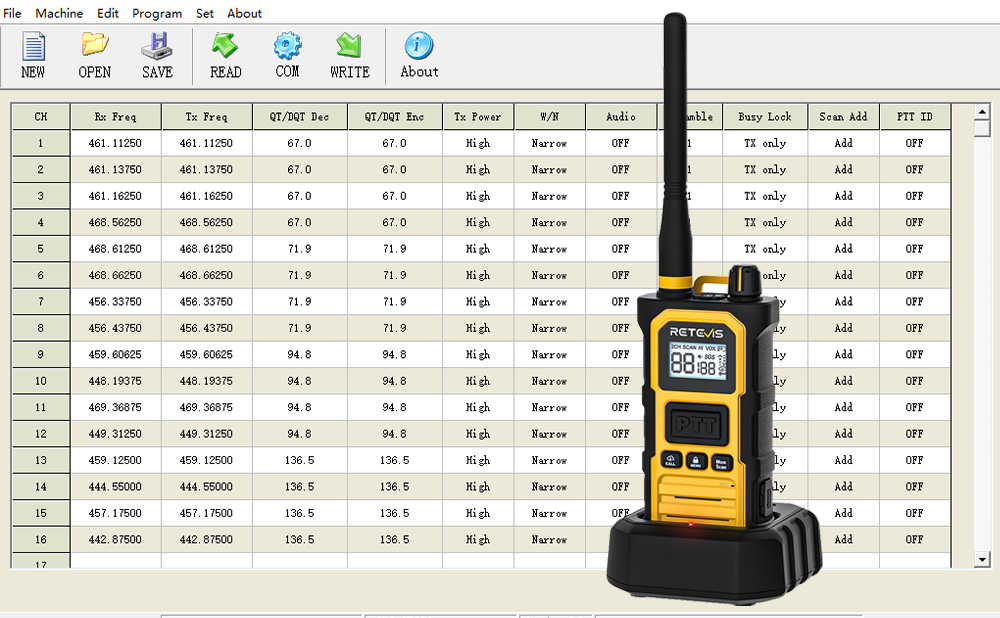
In the Retevis RB48 series radios, the rb48 pro supports a built-in group call function, allowing multiple radios to communicate simultaneously on the same group channel. This feature is especially useful for small teams that need fast, coordinated communication without complex system setup. In this article, we introduce two practical methods to set up group call on the RB48 Pro:
- Method 1: Direct setup on the radio (no computer required)
- Method 2: Batch configuration using PC programming software
Choose the method that best fits your team size and deployment needs.
What Is Group Call on the RB48 Pro?
Group call allows one user to transmit voice to multiple radios at the same time, provided that all devices are configured with the same group call channel.
This function is ideal for:
- Construction or manufacturing work teams
- Event coordination
- Warehouses and workshops
- Family or outdoor group activities
No repeater or network is required—communication happens directly between radios.
Important Requirement Before Setup
Regardless of the setup method you choose, all RB48 Pro radios must be configured to the same group call channel.
If the group channel is not identical, group communication will not function correctly.
Method 1: Set Up Group Call Directly on the Radio
This method is best for small teams or situations where only a few radios need to be configured.
Step-by-Step Instructions
Step 1: Power On the Radio
Turn on the RB48 Pro and make sure it is in standby mode.
Step 2: Enter the Group Call Menu
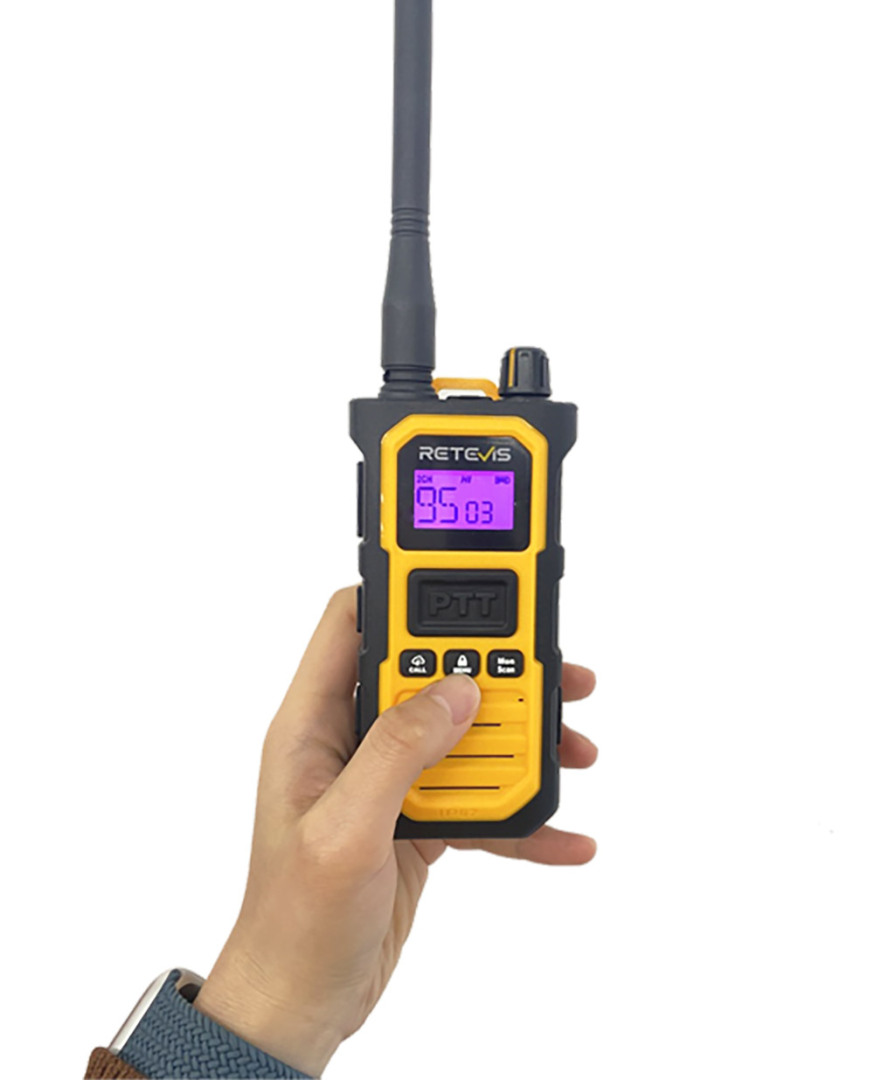
- Press the MENU key repeatedly
- Press it 9 times until “GS” appears on the display
This indicates that you have entered the group call setting menu.
Step 3: Select the Group Call Channel
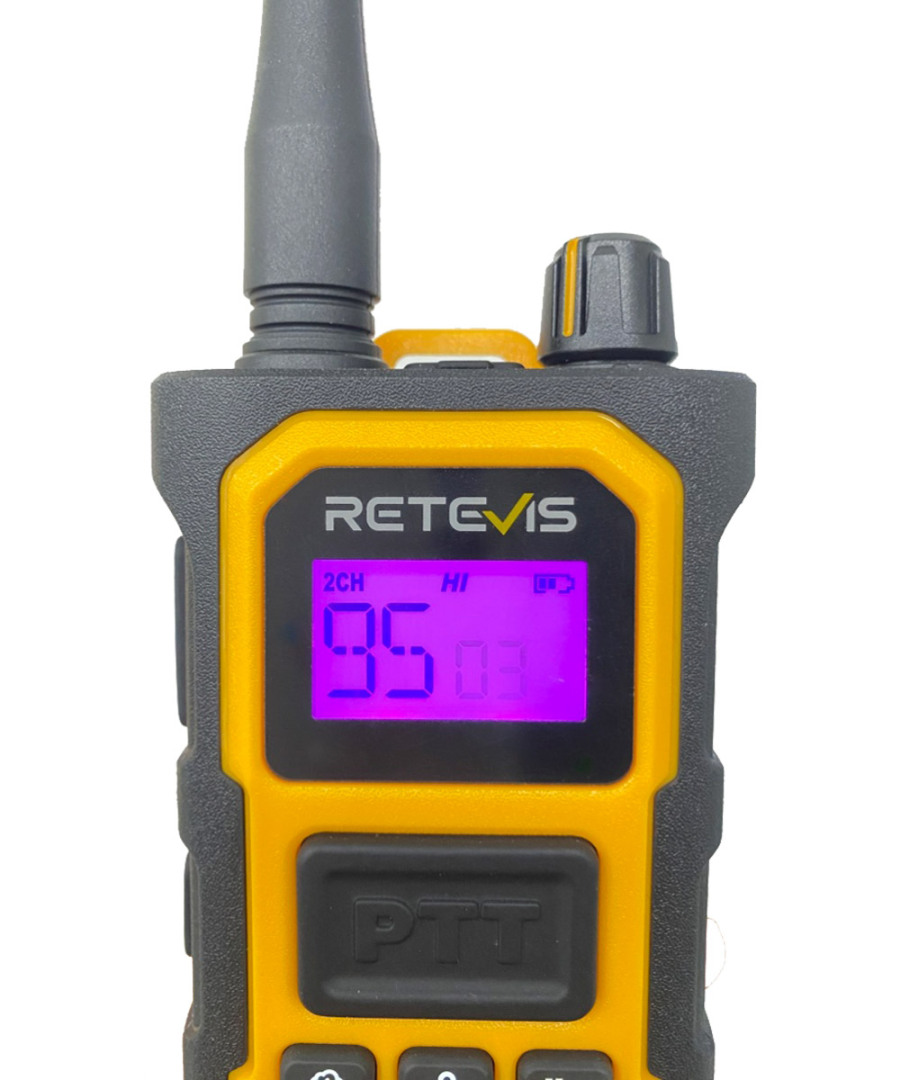
- Use the side Up / Down buttons to select the desired group call channel
- Ensure that the same channel is selected on all radios in the group
- When "2CH" appears in the upper left corner of the RB48 Pro two way radio screen, group calling is successfully enabled.
Step 4: Save the Setting
Press the MENU key to save the configuration
Step 5: Start a Group Call
- Press and hold the left side Down button
- Speak normally to initiate a group call
All radios set to the same group call channel will receive the transmission.
Method 2: Set Up Group Call Using PC Programming Software
This method is recommended when:
- Configuring multiple radios at once
- Ensuring consistent settings across a team
- Deploying radios for workplaces or organized groups
By using the RB48 Pro programming software, you can quickly write the same group call channel to all devices.
What You Need
- A computer (Windows PC)
- RB48 Pro programming software
- RB48 Pro programming cable
Step-by-Step Instructions
Step 1: Download and Install the Programming Software
- Download the RB48 Pro programming software to your computer
- Connect the RB48 Pro to the computer using the programming cable
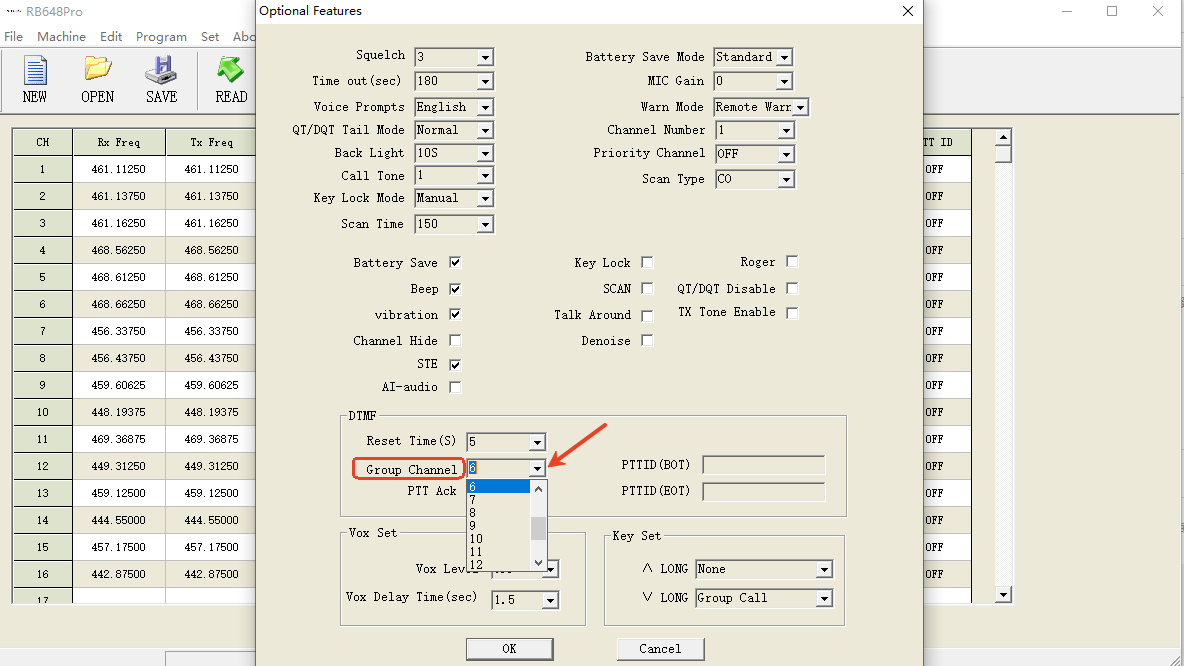
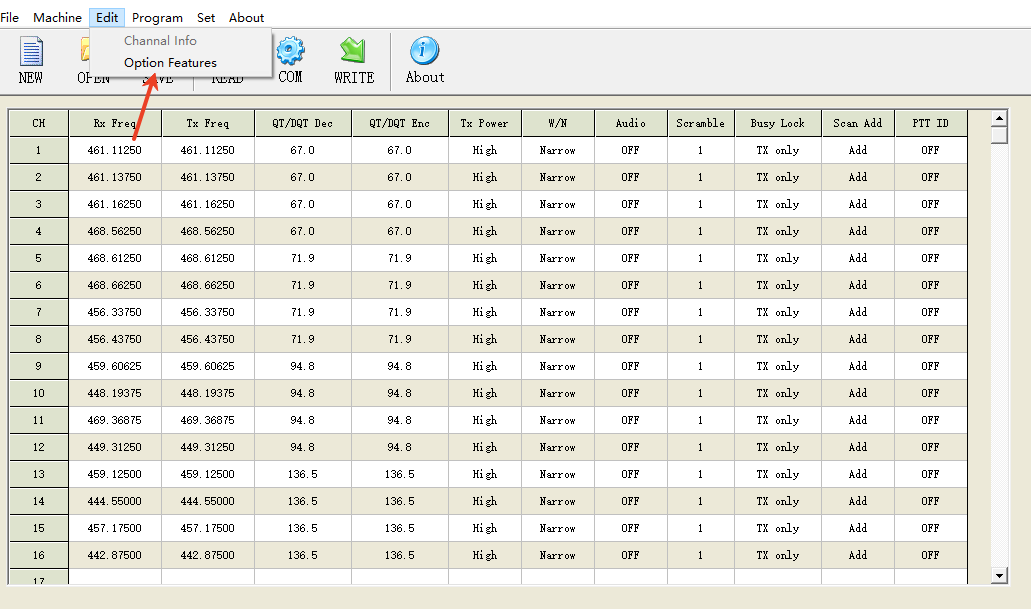
Step 2: Open the Group Call Settings
- Launch the programming software
- Click Edit
- Select Optional Feature
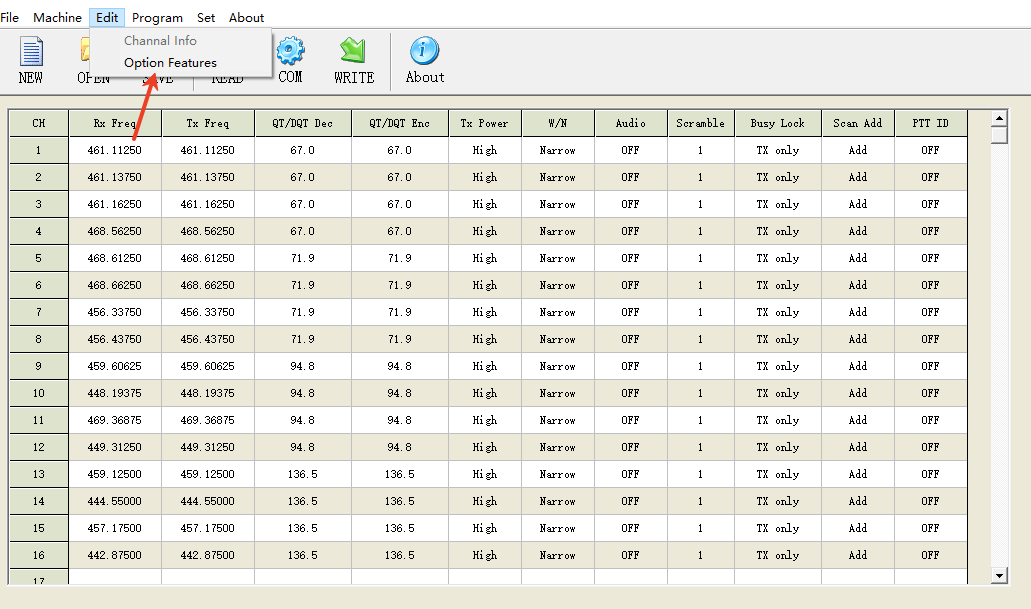
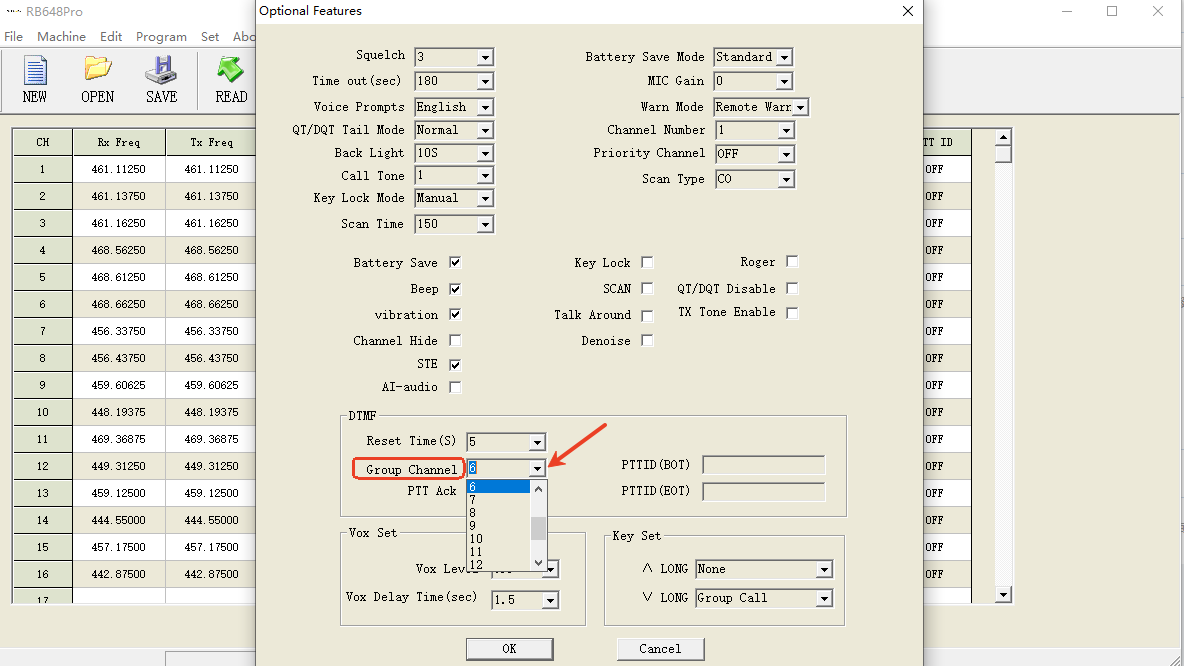
- Click Group Channel and Set the Group Channel You Need
Step 3: Set the Communication Port
- Click Set → Communication Port
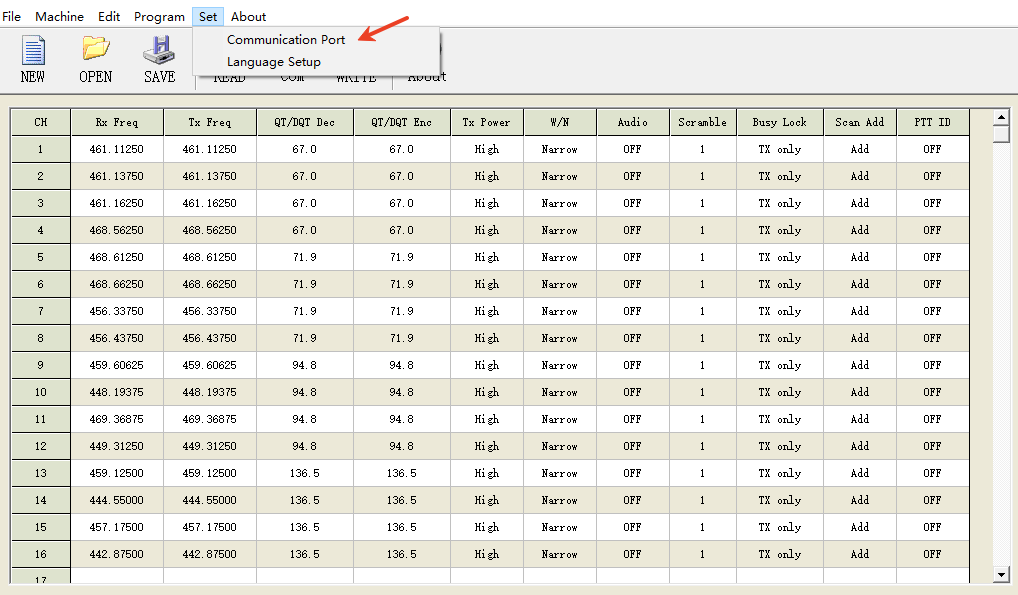
- Select the correct COM port for the connected radio
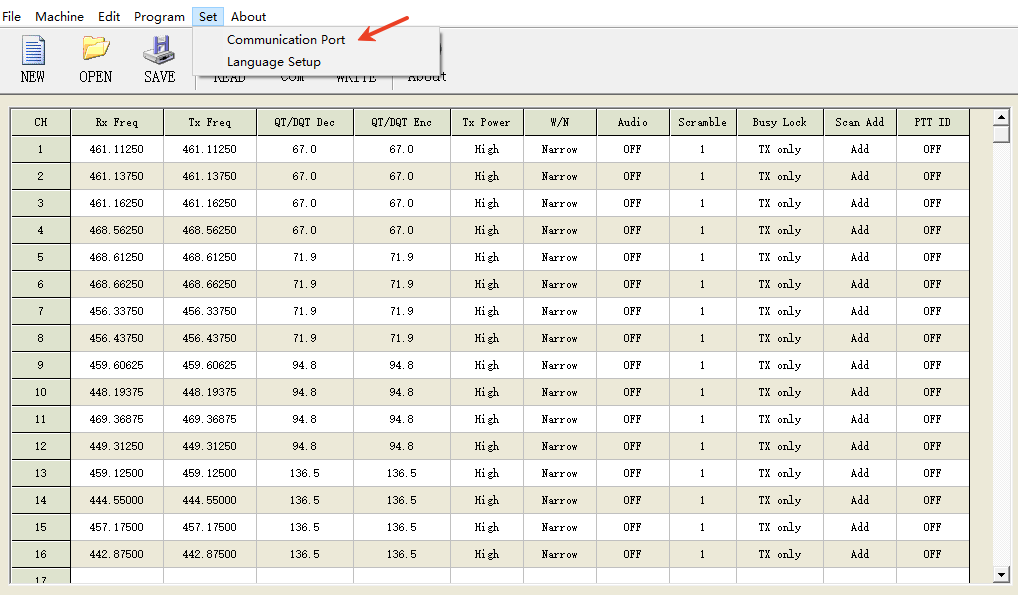
This step ensures proper communication between the software and the radio.
Step 4: Write the Settings to the Radio
Click Program → Write Data to Interphone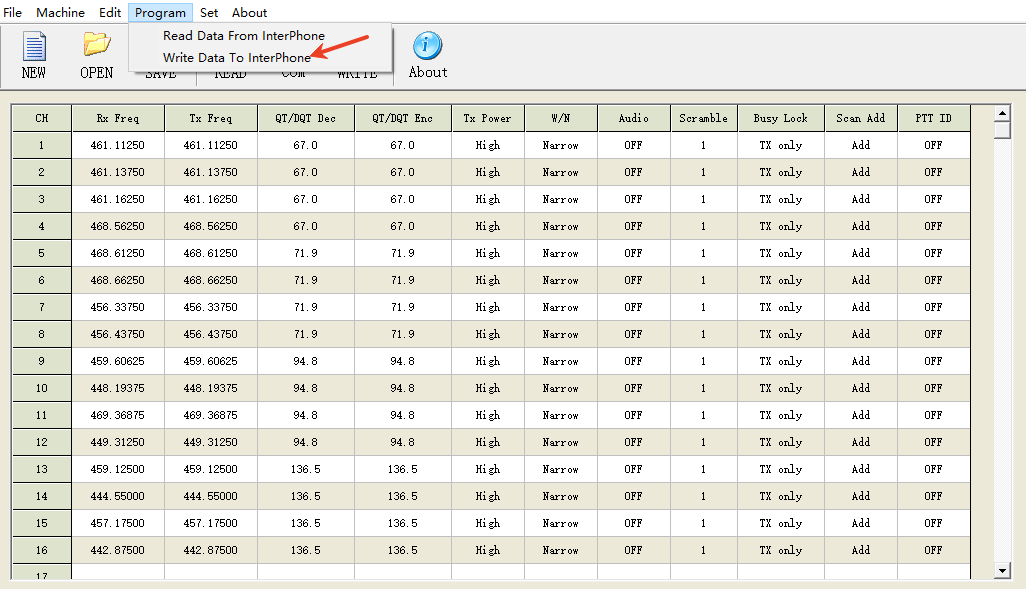
Wait for the writing process to complete
Once finished, the group call channel has been successfully written to the radio.
Step 5: Initiate Group Call
- Disconnect the programming cable
- Press and hold the left side Down button
- Speak to start a group call
Repeat the writing process for each radio to ensure all devices use the same group call channel.
The Retevis RB48 Pro offers flexible and user-friendly group call configuration options. Whether you choose to set up the group channel directly on the radio or configure multiple units using PC software, both methods ensure reliable and efficient group communication.
By selecting the right setup method for your team size and use case, you can deploy the RB48 Pro quickly and keep your team connected with minimal effort.
You can click here to know more about RB48 Plus group call function setup guide!








 Google
 Amazon
Comments
No data Yet